In short
Compared with VirtualDub2 2.5.7, its menus and source code, plus forums.
| qBlank | VirtualDub2 | |
|---|---|---|
| Source code | Open, GPLv3 | Open, GPLv2 |
| Made for | Playing on a card, screen or window, and recording it | Editing video, with a capture mode |
| Download | One file, about 3 MB | A 7z of 42 MB, portable |
| Display | Own renderer, Direct3D 11 or Vulkan | Overlay, the system's preview, or a display with the capture filters |
| Card format | Chosen and fitted to the video standard | The driver's format dialog, or a custom format |
| Video standard | Found automatically | In the driver's dialogs |
| Deinterlacing | Measured, in picture and recording | Field modes for the preview |
| Composite dot crawl | Filters built in | – |
| Screen and window | Monitor or window | GDI, OpenGL or DXGI; a region, the area around the cursor, or the active window |
| Recording | MKV, MP4, AVI | AVI, with VfW codecs or its own encoders |
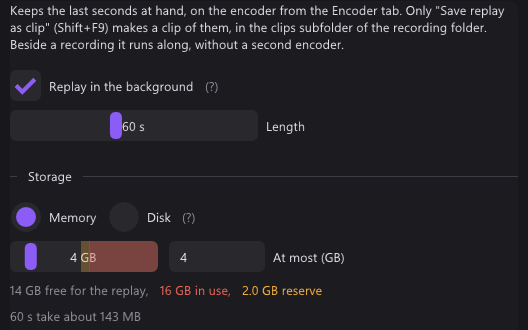
| Replay buffer | Memory or disk, up to 30 minutes | – |
| Virtual camera | 64-bit, HDR | – |
| Systems | Windows 10 and 11, 64-bit | Windows 7 and later, 64- and 32-bit |
The two projects
VirtualDub2
- VirtualDub was made by Avery Lee. shekh continued it as VirtualDub2, v0lt maintains it now.
- 2.5.7 came out on 17 October 2026. Open source under GPLv2.
- An editor first: cut, filter, re-encode. Capture is a separate mode.
- A portable 7z of 42 MB. For Windows 7 and later, 64- and 32-bit.
qBlank
- Open source under GPLv3. Code, issues and releases are on GitHub.
- English and German, with a manual in both.
- One file of about 3 MB, from winget, the website or GitHub.
- Recording needs ffmpeg. qBlank offers to download it, from a fixed source, checked against its hash.
- Updates are checked on start, if you want.
Capture card: display
VirtualDub2: a capture preview
- The Video menu picks No display, Overlay (O), Preview (system) (P) or Display with Filters.
- Hide display on capture turns the picture off while recording.
- Stretch to window scales it, Full screen is on Alt+Enter.
- Histogram (H) shows the levels of the picture.
qBlank: its own renderer
- qBlank draws the picture itself, with Direct3D 11 or Vulkan. Display → Graphics API picks one.
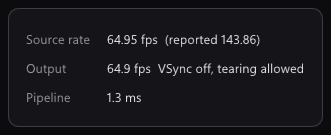
- Each frame is drawn when it arrives, at the source's rate. A frame not yet drawn is replaced by the next, never queued behind it.
- One frame of queue in the swap chain, tearing allowed, VSync off by default.
- Screen captures, Remote Play and OBS see qBlank's window like any other.
F1 shows what qBlank adds itself: Pipeline is the time from a frame's arrival in qBlank until it leaves qBlank. About 1 ms at 1080p60. The card and the monitor add their own on top.
Capture card: setup
VirtualDub2: the driver's dialogs
- The Device menu picks the card.
- Format… (F), Source… (S), Capture pin…, Capture filter… and Crossbar… open the driver's own pages.
- Set custom format (Shift+F) sets the size and data format directly.
- The frame rate is typed in under Capture Settings (F9).
- Cropping… cuts the picture by hand.
qBlank: fitted to the signal
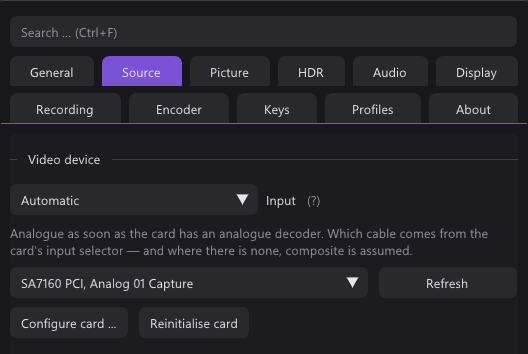
- Source lists what the card offers: Colour format, Resolution and Frame rate.
- Match the resolution to the video standard is on by default: if the resolution does not fit, say 720×480 on PAL, qBlank sets the right one itself.
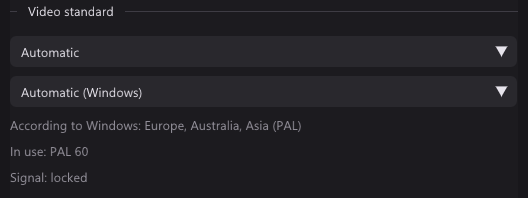
- The signal's rate takes 50 Hz for PAL, 59.94 for NTSC, 60 for PAL 60.
- Enter values manually is there for formats a card does not list.
- NV12 and P010 as well as YUY2, UYVY and RGB. 10-bit stays 10-bit, HDR stays HDR.
Capture card: sound
VirtualDub2
- Enable audio capture records the sound, Enable audio playback plays it.
- Audio input and Audio source pick one input.
- Raw capture format sets the format, Compression an ACM codec.
- Volume meter (V) shows the level, an oscilloscope or an analyser, with volume and balance.
qBlank
- Any format the card sends. qBlank converts it to what the device plays.
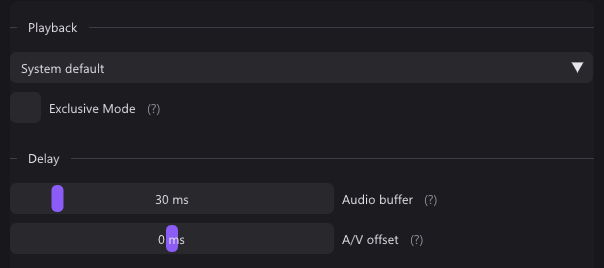
- Audio buffer from 5 to 200 ms, 30 by default.
- Exclusive Mode bypasses the Windows mixer for less delay. It locks the device against other programs.
- A/V offset moves sound or picture by up to 200 ms during playback, for a TV or headset that adds its own delay. It does not touch the recording.
- M mutes, + and - set the volume. Neither touches the recording.
- Microphones and other inputs go into the recording as separate sources. See Recording.
Analogue consoles
| qBlank | VirtualDub2 | |
|---|---|---|
| Video standard | PAL, NTSC or SECAM found automatically, follows a switch between 50 and 60 Hz | In the driver's dialog |
| Deinterlacing | Measured on each picture; Off (weave), Bob, Bob (interpolated), Motion adaptive, Edge directed, YADIF | Field modes for the preview: progressive, one field, interlaced, or each field at field rate |
| In the recording | Deinterlaced as shown, or Unfiltered | Swap fields, or vertical reduction 2:1 |
| Colour range | Measured | Levels and the luma black and white points, by hand |
| Crop | By hand or detected, kept per picture size | By hand |
| Composite dot crawl | Five filters, compared side by side | – |
| Pixel art | Native pixel grid, Sharp Bilinear, Integer scaling | – |
| Scanlines, CRT mask | Built in, for the display only | – |
VirtualDub2 records the driver's frames, through its capture filters. Deinterlacing and the rest are left to its editor.
Deinterlacing
qBlank measures each picture. Only apply to interlaced sources lets the deinterlacer stay on: 240p passes untouched, 480i and 576i are deinterlaced. The field order is measured too.
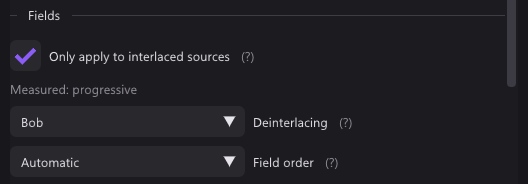
qBlank records the picture as you see it: cropped, deinterlaced, with square pixels. The aspect ratio has its own box, Apply to recording, screenshots and camera, on by default. For the card's frames as they arrive, the Encoder tab has Unfiltered, for lossless recordings.
Video standard
A card set to NTSC shows a PAL console in black and white or with rolling colours. qBlank tries the standards itself until the colour locks. F7 checks again on the current picture.
Composite
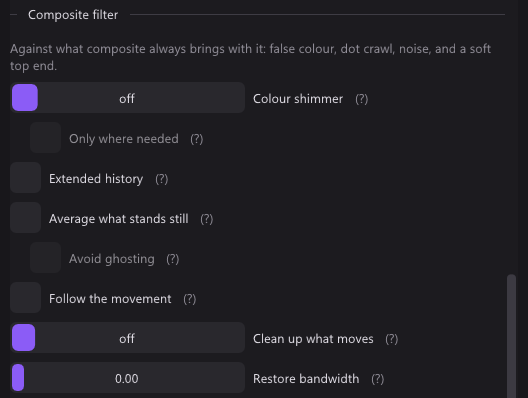
Composite carries colour inside brightness, which leaves moving dots along edges. qBlank has five filters against it; they only appear for a composite input. F12 splits the picture into off and on, F11 holds it still.
Pixel art and CRT
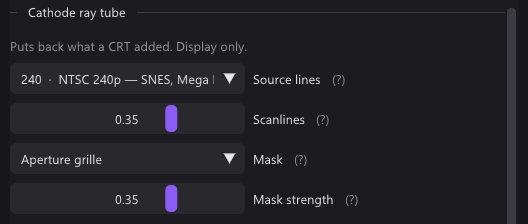
- Native pixel grid: pick how many pixels the console draws across, 256 for a SNES. Each console pixel then becomes one sharp block.
- Sharp Bilinear keeps pixels sharp and even at any scale. Integer scaling sits under the aspect ratio.
- Scanlines, CRT mask and pixel grid apply to the display only. Recordings, screenshots and the camera get the picture without them.
Screen and window
| qBlank | VirtualDub2 | |
|---|---|---|
| Whole monitor | Desktop Duplication | DXGI, or GDI and OpenGL |
| Part of the screen | – | A region, or the area around the cursor |
| One window | Through Windows.Graphics.Capture; a covered window comes through | The active window |
| Frame rate | Every new picture, or capped | Typed in |
| Sound | System sound without qBlank | System sound through WASAPI loopback |
VirtualDub2
- Screen capture is a device of its own, next to the cards.
- It grabs through GDI, OpenGL or DXGI. DXGI is the fastest.
- The region can follow the cursor or the active window.
qBlank
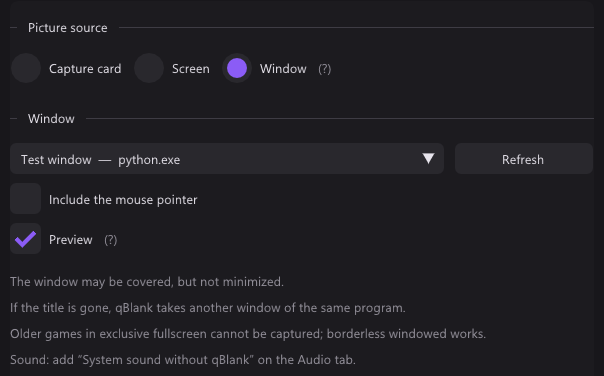
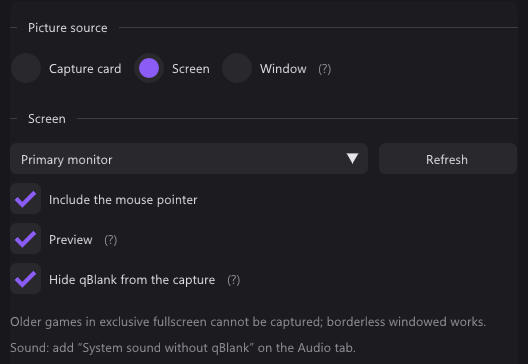
- Screen takes a whole monitor, Window one window, games and video included.
- A covered window comes through. A minimised one does not.
- If the title changes or the window is gone, qBlank takes another window of the same program.
- The border is always cut off.
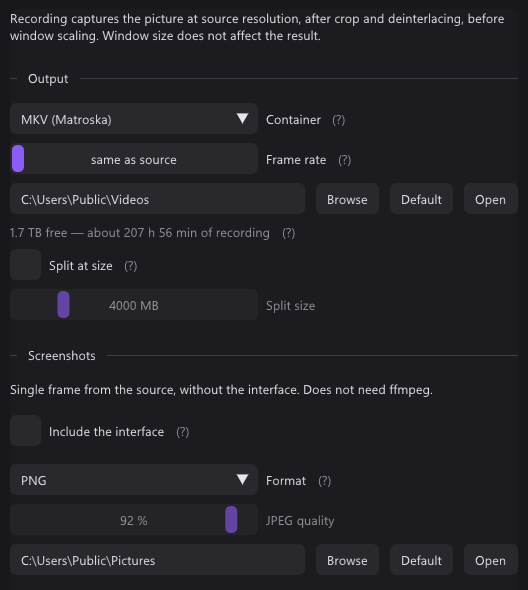
- Each new picture is drawn at once. Recording → Frame rate on same as source keeps them all, or caps them.
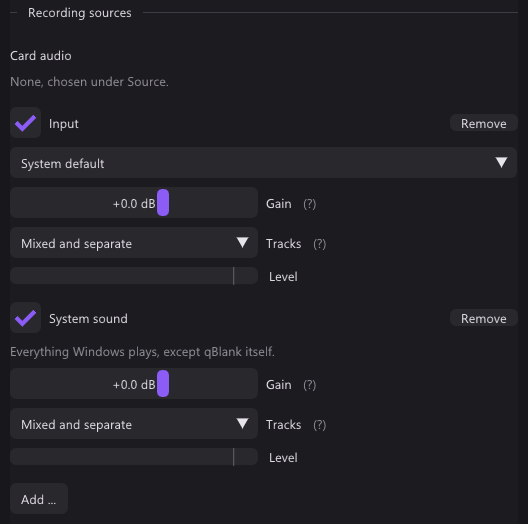
- System sound without qBlank records everything except qBlank's own playback. qBlank stays audible and nothing echoes.
- Hide qBlank from the capture is on by default for the screen. It keeps qBlank out of every screen capture, Remote Play and Remote Desktop included.
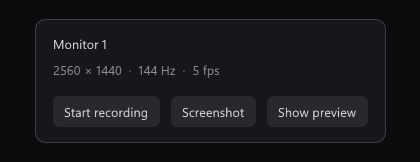
- Preview off shows a small panel with resolution, frame rate and recording time, and redraws less often.
Recording
| qBlank | VirtualDub2 | |
|---|---|---|
| Containers | MKV, MP4; AVI for lossless | AVI (OpenDML), across several drives if needed |
| Video codecs | H.264 on NVENC, Quick Sync, AMF or x264; H.265 on NVENC, Quick Sync, AMF or x265; AV1 on NVENC, Intel Arc, AMD or SVT-AV1 | Any VfW codec, or its own through FFmpeg: x264, x265, SVT-AV1, VP9, FFV1, ProRes; H.264, HEVC and AV1 on NVENC, Quick Sync and AMF |
| Lossless | H.265 lossless on NVENC, UT Video, uncompressed RGB | Uncompressed, FFV1, or a lossless VfW codec |
| Audio codec | AAC at 96 to 320 kbit/s; PCM in AVI | PCM, or an ACM codec |
| What is recorded | The picture as shown; Unfiltered for the card's frames | The driver's frames, through the capture filters |
| Frame rate | The source's, or capped | Typed in |
| Sound sources | Card, inputs, outputs, system without qBlank; gain up to +12 dB | One input |
| Tracks | Mixed, separate, or both | One |
| Stop after | – | A time, a size, free space, or a ratio of dropped frames |
| Disk | Warning at 75 %; full stops the recording, the rest is still written | Space allocated ahead, striping, more drives in turn |
| Replay buffer | Memory or disk, 5 s to 30 min | – |
| Markers | MKV, MP4 and clips | – |
VirtualDub2
- F5 or F6 starts, Esc stops. F7 runs a test capture.
- An information panel, a large timer, a timing graph, a log (F8) and a real-time profiler show how it runs.
- The file name can count up after each capture.
- Its editor then cuts, filters and re-encodes the file.
qBlank
- The encoder runs inside qBlank, through ffmpeg's libraries. With NVENC and AMF the frame goes from the GPU to the encoder without a copy.
- A change of size or video standard during a recording starts a new file, seamlessly.
- An MKV stays playable after a crash.
- The replay buffer and the recording share one encoder. Shift+F9 saves the last minutes as a clip.
- Markers: Ctrl+Shift+F9 sets one, players show them as chapters.
What users report about VirtualDub2
From guides and forums.
- RetroRGB has a guide to uncompressed captures with VirtualDub2.
- With a GV-USB2, one user lost no frames in VirtualDub, where AmaRecTV lost 30 in 35 s. See qBlank vs AmaRecTV.
Only in VirtualDub2
- An editor: cut, filter, re-encode.
- Stop conditions: time, size, free space, dropped frames.
- Capture across several drives, with space allocated ahead.
- Test capture, timing graph and profiler.
- VfW devices and TV tuners.
- Levels, noise reduction and a filter chain while capturing.
- A region of the screen, or one that follows the cursor.
- A histogram.
- FFV1 and ProRes.
- Windows 7 and 8.1, and 32-bit.
Only in qBlank
- Built to play on: its own renderer, and F1 shows its own time per frame.
- Video standard, interlacing, field order and colour range measured from the picture.
- Deinterlacing and aspect ratio in the display and the recording.
- Composite filters with a side-by-side compare.
- The console's native pixel grid, Sharp Bilinear, scanlines and CRT mask.
- MKV and MP4, and an MKV survives a crash.
- Card sound with its own buffer, and an A/V offset for playback.
- Several sound sources, on their own tracks.
- One chosen window, even when covered.
- Replay buffer in memory or on disk, up to 30 minutes, and markers.
- HDR in display, recording, screenshots and camera.
- A 64-bit virtual camera with qBlank's full picture.