In short
Compared with NVIDIA App 11.0.9, its release notes and NVIDIA's help pages.
| qBlank | NVIDIA App | |
|---|---|---|
| Source code | Open, GPLv3 | Closed, free |
| Needs | Windows 10 or 11, 64-bit, any graphics card | An NVIDIA GeForce or RTX card |
| Capture card | Yes | – |
| What it records | A card, a monitor or a window | Detected games, or the desktop with Desktop capture on, off by default |
| Video codecs | On NVIDIA, Intel, AMD or the CPU | H.264, HEVC and AV1 on NVENC; AV1 needs an RTX 40 or 50 |
| Containers | MKV, MP4, AVI | MP4 |
| HDR | Display, recording, screenshots, camera | Recording with HEVC or AV1 |
| Replay | Memory or disk, up to 30 minutes | Instant Replay, 30 s by default, adjustable |
| Automatic clips | – | Highlights, in supported games |
| Sound | Several sources, mixed or on own tracks | Game and microphone, separate tracks optional |
| Virtual camera | 64-bit, HDR | – |
| Keys in a game | A system-wide key; the game does not get it | Its Alt keys work in the game |
The two projects
NVIDIA App
- NVIDIA's app for drivers, game settings and the overlay on Alt+Z. It replaced GeForce Experience.
- Free, closed source. Signing in is optional.
- Recording runs on NVENC, so it needs an NVIDIA graphics card.
qBlank
- Open source under GPLv3. Code, issues and releases are on GitHub.
- English and German, with a manual in both.
- One file of about 3 MB, from winget, the website or GitHub.
- Runs on any graphics card. Encoders from NVIDIA, Intel and AMD, or the CPU.
- Recording needs ffmpeg. qBlank offers to download it, from a fixed source, checked against its hash.
- Updates are checked on start, if you want.
Capture card
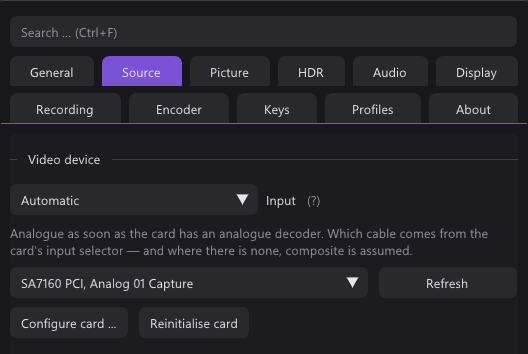
- The NVIDIA App has no input for a capture card. To record one, another program has to show it on the screen. Without a detected game, that needs Desktop capture.
- qBlank opens the card itself. It fits the format to the video standard, deinterlaces what is interlaced, and has filters for composite and pixel art. See analogue consoles on the AmaRecTV page.
- qBlank's window is an ordinary window. Recording it with the NVIDIA App works like with any other program.
What gets recorded
| qBlank | NVIDIA App | |
|---|---|---|
| What is recorded | A card, a whole monitor, or one window | The detected game, or the desktop with Desktop capture on |
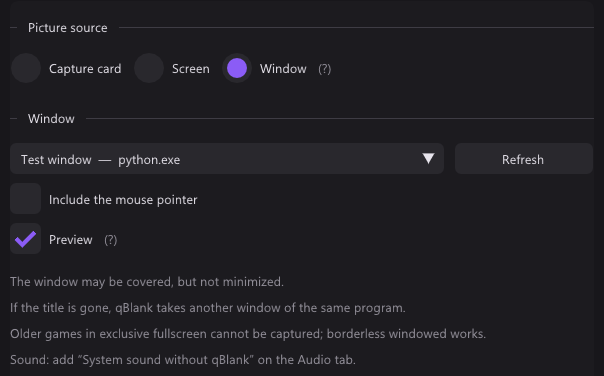
| One chosen window | Through Windows.Graphics.Capture; a covered window comes through | – |
| Exclusive fullscreen | Not for older games; borderless windowed works | Yes |
| HDR | HDR desktop and window in HDR | With HEVC or AV1 |
NVIDIA App
- It records the game it detects. Desktop capture adds the desktop and is off by default.
- Protected content blocks recording.
qBlank
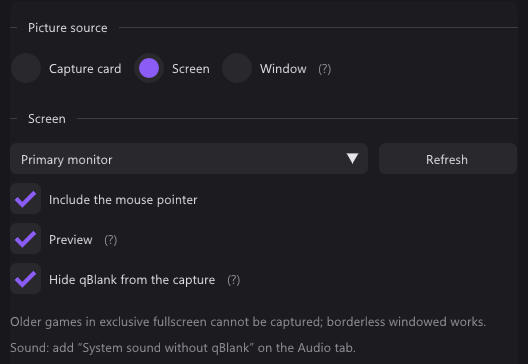
- Screen takes a whole monitor, Window one window, games and video included.
- A covered window comes through. A minimised one does not.
- If the title changes or the window is gone, qBlank takes another window of the same program.
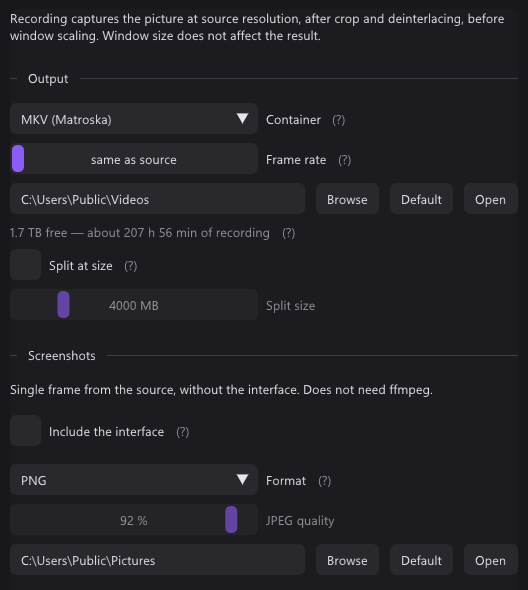
- Each new picture is drawn at once. Recording → Frame rate on same as source keeps them all, or caps them.
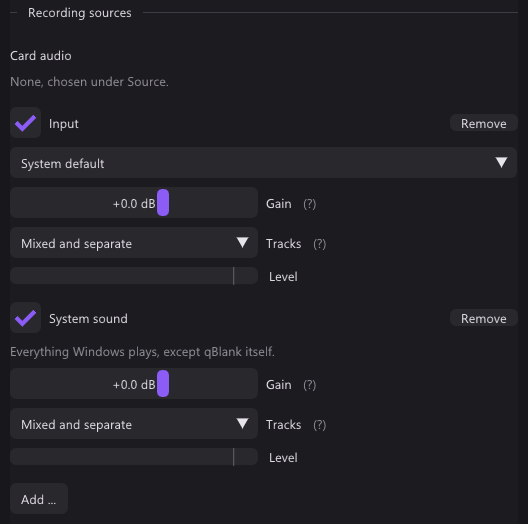
- System sound without qBlank records everything except qBlank's own playback. qBlank stays audible and nothing echoes.
- Hide qBlank from the capture is on by default for the screen. It keeps qBlank out of every screen capture, Remote Play and Remote Desktop included.
Recording
| qBlank | NVIDIA App | |
|---|---|---|
| Containers | MKV, MP4; AVI for lossless | MP4 |
| Video codecs | H.264 on NVENC, Quick Sync, AMF or x264; H.265 on NVENC, Quick Sync, AMF or x265; AV1 on NVENC, Intel Arc, AMD or SVT-AV1 | H.264, HEVC and AV1 on NVENC; AV1 needs an RTX 40 or 50 |
| Lossless | H.265 lossless on NVENC, UT Video, uncompressed RGB | – |
| Resolution | The source's, or a set height from 2160p to 360p | Up to 8K HDR at 30 fps, or 4K HDR at 120 |
| Frame rate | The source's, or capped | Up to 120 fps on every codec; 240 on an RTX 40 or 50 since 11.0.8 |
| Sound sources | Card, inputs, outputs, system without qBlank; gain up to +12 dB | Game and microphone |
| Tracks | Mixed, separate, or both | One, or separate tracks |
NVIDIA App
- Since 11.0.2 the default bitrate follows resolution, frame rate and codec.
qBlank
- The encoder runs inside qBlank, through ffmpeg's libraries. With NVENC and AMF the frame goes from the GPU to the encoder without a copy.
- A change of size or video standard during a recording starts a new file, seamlessly.
- MKV stays playable after a crash.
- Markers: Ctrl+Shift+F9 sets one, players show them as chapters.
Replay
| qBlank | NVIDIA App | |
|---|---|---|
| Name | Replay | Instant Replay |
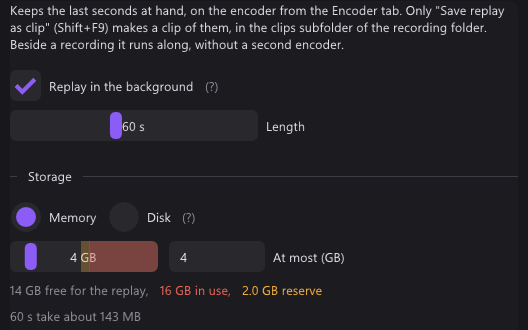
| Length | 5 s to 30 min | 30 s by default, adjustable |
| Save | Shift+F9 | Alt+F10 |
| On and off | Ctrl+F9 | Alt+Shift+F10 |
| Automatic clips | – | Highlights, in supported games |
- qBlank keeps the replay in memory or on disk. The replay buffer and the recording share one encoder.
Screenshots and virtual camera
- qBlank saves PNG, JPEG, JPEG XR or AVIF, HDR as JPEG XR or AVIF. Ctrl+F10 copies to the clipboard.
- The NVIDIA App takes a screenshot with Alt+F1. Photo Mode, on Alt+F2, works in supported games.
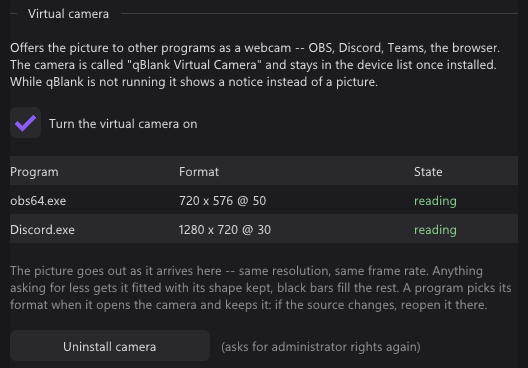
- qBlank has a virtual camera built in, a DirectShow source for 64-bit programs. The NVIDIA App has none.
Keys
| qBlank | NVIDIA App | |
|---|---|---|
| Change every key | Yes | Yes |
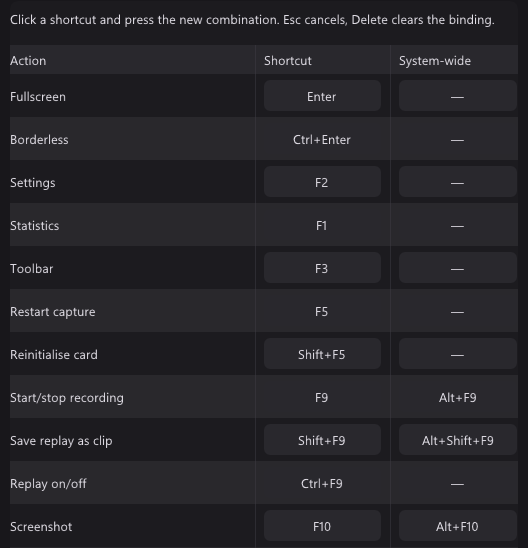
| Keys in a game | A second key under System-wide; no other program gets it | Its keys work in the game |
| Record | F9 | Alt+F9 |
| Save replay | Shift+F9 | Alt+F10 |
| Replay on and off | Ctrl+F9 | Alt+Shift+F10 |
| Screenshot | F10 | Alt+F1 |
| Photo Mode | – | Alt+F2 |
| Statistics | F1 | Alt+R |
| Settings | F2 | Alt+Z, the overlay |
- The NVIDIA App uses Alt+F9 and Alt+F10 too, the same keys as in the qBlank picture below.
- qBlank's system-wide keys are unbound out of the box. With both running, give one of them other keys.
Only in the NVIDIA App
- Highlights: clips saved by themselves in supported games.
- Photo Mode in supported games.
- Finds games by itself.
- Older games in exclusive fullscreen.
- A performance overlay, latency included.
- Driver updates and game settings.
Only in qBlank
- A capture card, with what consoles need: video standard, deinterlacing, composite filters, pixel grid.
- Any graphics card. Encoders from NVIDIA, Intel and AMD, or the CPU.
- One chosen window, even when covered.
- MKV, which survives a crash, and AVI.
- Lossless recording.
- Inputs and outputs as sound sources, each with its own gain.
- A 64-bit virtual camera with qBlank's full picture, HDR included.
- qBlank hidden from its own screen capture.
- Open source.