In short
Compared with PotPlayer 1.7.23164 and its settings, plus forums.
| qBlank | PotPlayer | |
|---|---|---|
| Source code | Open, GPLv3 | Closed freeware, by Kakao |
| Made for | Playing on a card, screen or window, and recording it | Video files; a card is one source among many |
| Download | One file, about 3 MB | About 50 MB, installer or portable |
| Display | Own renderer, Direct3D 11 or Vulkan | A renderer of choice; built-in Direct3D 11 by default, EVR, VMR9 and madVR among others |
| Card format | Chosen and fitted to the video standard | Picked from a list, or Default |
| Video standard | Found automatically | Not detected |
| Deinterlacing | Measured on each picture | Motion adaptive by default, or the GPU's |
| Composite dot crawl | Filters built in | – |
| Screen and window | Monitor or window | An area, a window, or game capture for Direct3D 9 to 12, OpenGL and Vulkan |
| Recording | MKV, MP4, AVI; H.264, H.265, AV1, lossless | MKV, MP4, AVI, WMV, WebM and more; H.264 on NVENC, Quick Sync, AMF or OpenH264 |
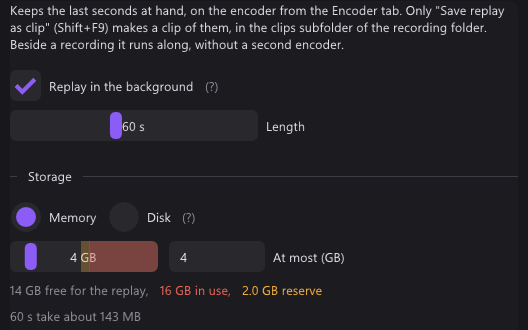
| Replay buffer | Memory or disk, up to 30 minutes | – |
| Virtual camera | 64-bit, HDR | – |
| Systems | Windows 10 and 11, 64-bit | Windows, 64-bit and ARM64 |
The two projects
PotPlayer
- Made by Kakao, formerly as Daum PotPlayer. Freeware, closed source.
- 1.7.23164 came out on 21 October 2026. Its changelog made Direct3D 11 video and WASAPI sound the defaults.
- A player first: files, streams, subtitles. Devices are one more kind of source.
- About 50 MB, as an installer or portable. For 64-bit Windows and ARM64.
qBlank
- Open source under GPLv3. Code, issues and releases are on GitHub.
- English and German, with a manual in both.
- One file of about 3 MB, from winget, the website or GitHub.
- Recording needs ffmpeg. qBlank offers to download it, from a fixed source, checked against its hash.
- Updates are checked on start, if you want.
Capture card: display
PotPlayer: a renderer of choice
- PotPlayer draws through the video renderer you pick. The built-in Direct3D 11 renderer is the default since 1.7.23164.
- EVR, VMR9 and madVR are among the others.
- The card's picture goes through the same chain as a video file.
qBlank: its own renderer
- qBlank draws the picture itself, with Direct3D 11 or Vulkan. Display → Graphics API picks one.
- Each frame is drawn when it arrives, at the source's rate. A frame not yet drawn is replaced by the next, never queued behind it.
- One frame of queue in the swap chain, tearing allowed, VSync off by default.
- Screen captures, Remote Play and OBS see qBlank's window like any other.
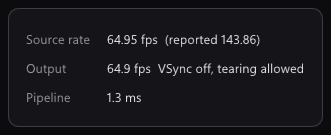
F1 shows what qBlank adds itself: Pipeline is the time from a frame's arrival in qBlank until it leaves qBlank. About 1 ms at 1080p60. The card and the monitor add their own on top.
Capture card: setup
PotPlayer: the device settings
- Open Webcam/Other Device opens the card.
- The device settings (Alt+D) have a tab each for Webcam, Analog TV, Digital TV and Screen Capture.
- A card is set up under Webcam: the device, its type, and the format. The format is Default or one of the listed sizes and rates.
qBlank: fitted to the signal
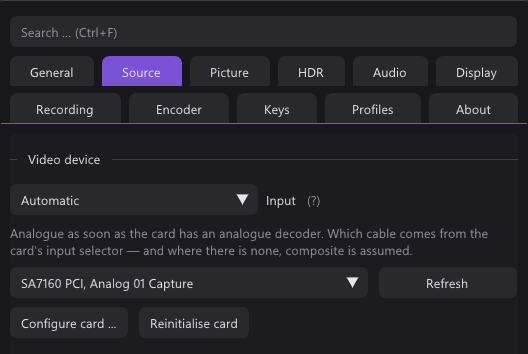
- Source lists what the card offers: Colour format, Resolution and Frame rate.
- Match the resolution to the video standard is on by default: if the resolution does not fit, say 720×480 on PAL, qBlank sets the right one itself.
- The signal's rate takes 50 Hz for PAL, 59.94 for NTSC, 60 for PAL 60.
- Enter values manually is there for formats a card does not list.
- NV12 and P010 as well as YUY2, UYVY and RGB. 10-bit stays 10-bit, HDR stays HDR.
In both, a card serves one program at a time.
Capture card: sound
PotPlayer
- Use audio capture device takes the sound from the audio capture device picked under it.
- Preview audio plays it.
- Sound goes through the WASAPI renderer by default since 1.7.23164.
qBlank
- Any format the card sends. qBlank converts it to what the device plays.
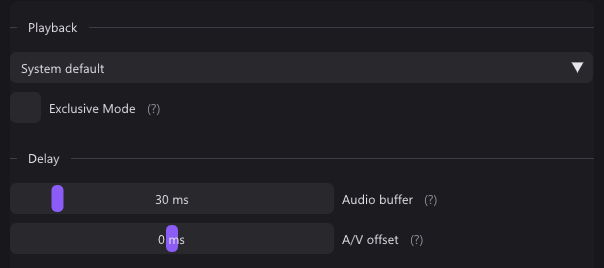
- Audio buffer from 5 to 200 ms, 30 by default.
- Exclusive Mode bypasses the Windows mixer for less delay. It locks the device against other programs.
- A/V offset moves sound or picture by up to 200 ms during playback, for a TV or headset that adds its own delay. It does not touch the recording.
- M mutes, + and - set the volume. Neither touches the recording.
- Microphones and other inputs go into the recording as separate sources. See Recording.
Analogue consoles
| qBlank | PotPlayer | |
|---|---|---|
| Video standard | PAL, NTSC or SECAM found automatically, follows a switch between 50 and 60 Hz | Not detected |
| Deinterlacing | Measured on each picture; Off (weave), Bob, Bob (interpolated), Motion adaptive, Edge directed, YADIF | Motion adaptive by default, or the GPU's |
| Composite dot crawl | Five filters, compared side by side | – |
Deinterlacing
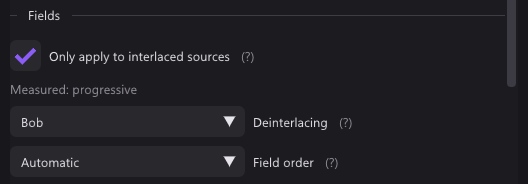
qBlank measures each picture. Only apply to interlaced sources lets the deinterlacer stay on: 240p passes untouched, 480i and 576i are deinterlaced. The field order is measured too.
Video standard
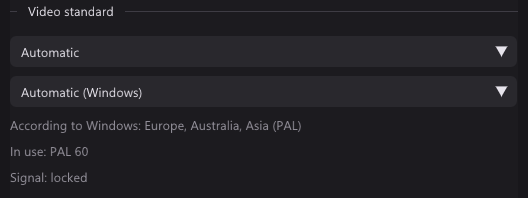
A card set to NTSC shows a PAL console in black and white or with rolling colours. qBlank tries the standards itself until the colour locks. F7 checks again on the current picture.
Composite
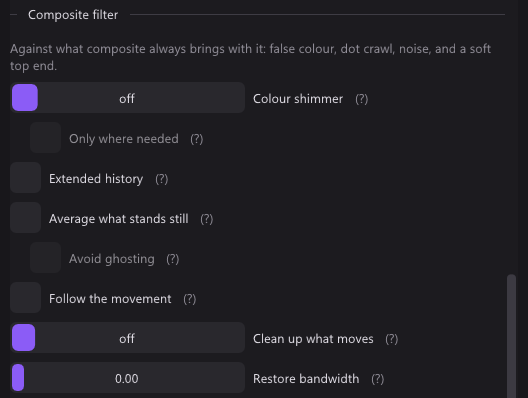
Composite carries colour inside brightness, which leaves moving dots along edges. qBlank has five filters against it; they only appear for a composite input. F12 splits the picture into off and on, F11 holds it still.
Pixel art and CRT
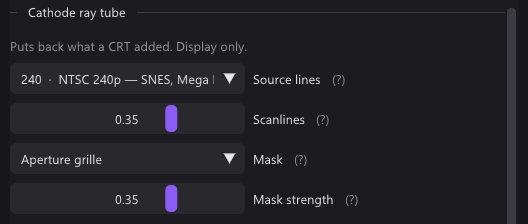
- Native pixel grid: pick how many pixels the console draws across, 256 for a SNES. Each console pixel then becomes one sharp block.
- Sharp Bilinear keeps pixels sharp and even at any scale. Integer scaling sits under the aspect ratio.
- Scanlines, CRT mask and pixel grid apply to the display only. Recordings, screenshots and the camera get the picture without them.
Screen and window
| qBlank | PotPlayer | |
|---|---|---|
| What it takes | A whole monitor, or one window | An area, a window, or a game |
| Part of the screen | – | An area |
| Games | In a window, through Windows.Graphics.Capture | Game capture for Direct3D 9 to 12, OpenGL and Vulkan |
PotPlayer
- Screen Capture is a tab of the device settings, next to the card.
- It takes an area of the screen, a window, or a game through its graphics API.
qBlank
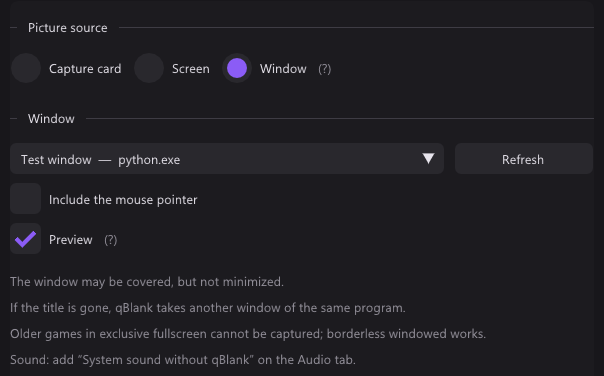
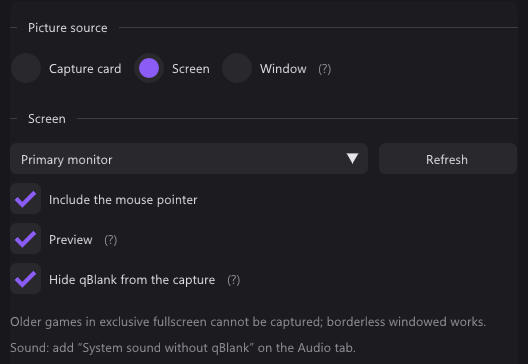
- Screen takes a whole monitor, Window one window, games and video included.
- A covered window comes through. A minimised one does not.
- If the title changes or the window is gone, qBlank takes another window of the same program.
- The border is always cut off.
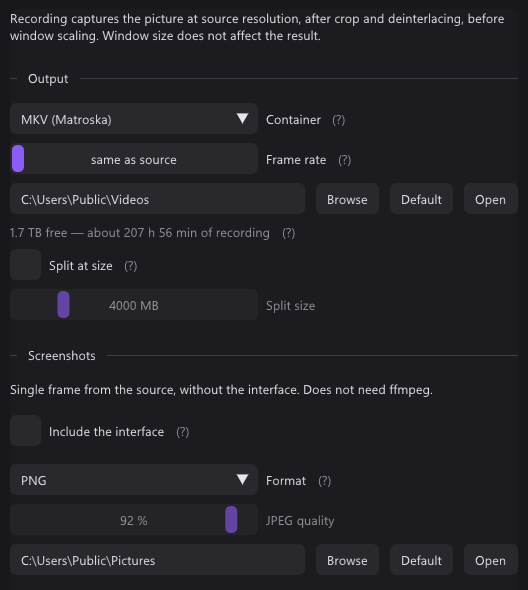
- Each new picture is drawn at once. Recording → Frame rate on same as source keeps them all, or caps them.
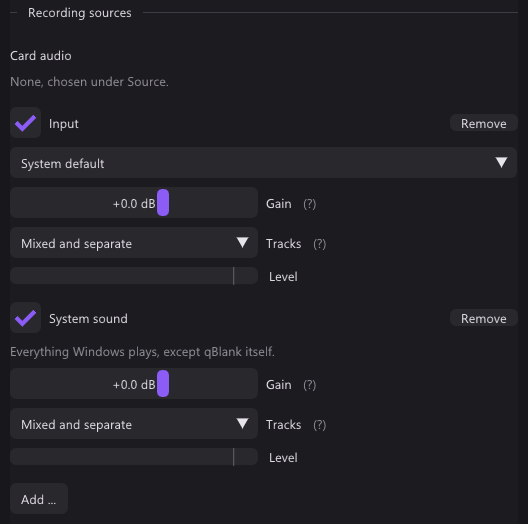
- System sound without qBlank records everything except qBlank's own playback. qBlank stays audible and nothing echoes.
- Hide qBlank from the capture is on by default for the screen. It keeps qBlank out of every screen capture, Remote Play and Remote Desktop included.
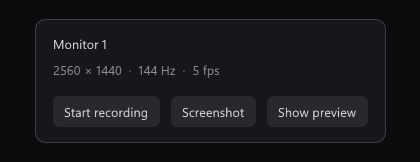
- Preview off shows a small panel with resolution, frame rate and recording time, and redraws less often.
Recording
| qBlank | PotPlayer | |
|---|---|---|
| Containers | MKV, MP4; AVI for lossless | MKV, MP4, AVI, WMV, WebM and more |
| Video codecs | H.264 on NVENC, Quick Sync, AMF or x264; H.265 on NVENC, Quick Sync, AMF or x265; AV1 on NVENC, Intel Arc, AMD or SVT-AV1 | H.264 on NVENC, Quick Sync, AMF or OpenH264, among others |
| Lossless | H.265 lossless on NVENC, UT Video, uncompressed RGB | Huffyuv, uncompressed RGB or YUV |
| Audio codec | AAC at 96 to 320 kbit/s; PCM in AVI | AAC, PCM, FLAC, or none |
| What is recorded | The picture as shown; Unfiltered for the card's frames | The playing source, not the screen |
| Size and rate | The source's, or a set height and a cap | Original, or set |
| Sound sources | Card, inputs, outputs, system without qBlank; gain up to +12 dB | The playing source's sound |
| Tracks | Mixed, separate, or both | – |
| Pause | Its own key, one file without a gap | Pausing playback pauses the recording |
| Replay buffer | Memory or disk, 5 s to 30 min | – |
| Markers | MKV, MP4 and clips | – |
PotPlayer
- Alt+C, or right-click → Video → Video Recording, opens the recorder.
- A folder and a file name prefix are set there. Video is set to 2,000 kbps by default.
qBlank
- The encoder runs inside qBlank, through ffmpeg's libraries. With NVENC and AMF the frame goes from the GPU to the encoder without a copy.
- A change of size or video standard during a recording starts a new file, seamlessly.
- The replay buffer and the recording share one encoder. Shift+F9 saves the last minutes as a clip.
- Markers: Ctrl+Shift+F9 sets one, players show them as chapters.
Screenshots and virtual camera
| qBlank | PotPlayer | |
|---|---|---|
| Screenshot formats | PNG, JPEG, JPEG XR, AVIF | JPEG, PNG, BMP, WebP |
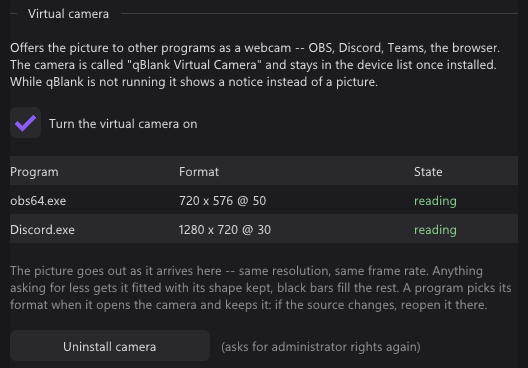
| Virtual camera | Built in, a DirectShow source for 64-bit programs | – |
| Camera formats | NV12; P010 with PQ for HDR | – |
In PotPlayer, Video capture means saving frames as images. Recording a video is Video Recording.
What users report about PotPlayer
From forums. Few judge a player as a capture program, so there is not much.
- MKV recordings came out broken or would not open.
- A USB card gave a picture, but no sound.
- One user found VMR9 in a window slightly lower in delay than Direct3D 11.
Only in PotPlayer
- A full player: files, streams, subtitles.
- TV tuners, analogue and digital.
- Game capture for Direct3D 9 to 12, OpenGL and Vulkan.
- An area of the screen.
- A choice of renderers, madVR among them.
- More containers, WMV and WebM among them, and FLAC.
- Screenshots as WebP or BMP.
- ARM64.
Only in qBlank
- Open source.
- Video standard, interlacing, field order and colour range measured from the picture.
- Composite filters with a side-by-side compare.
- The console's native pixel grid.
- Microphones and system sound in the recording, on their own tracks.
- Replay buffer in memory or on disk, up to 30 minutes, and markers.
- A 64-bit virtual camera with qBlank's full picture, HDR included.
- qBlank hidden from its own screen capture.
- F1 shows qBlank's own time per frame.